
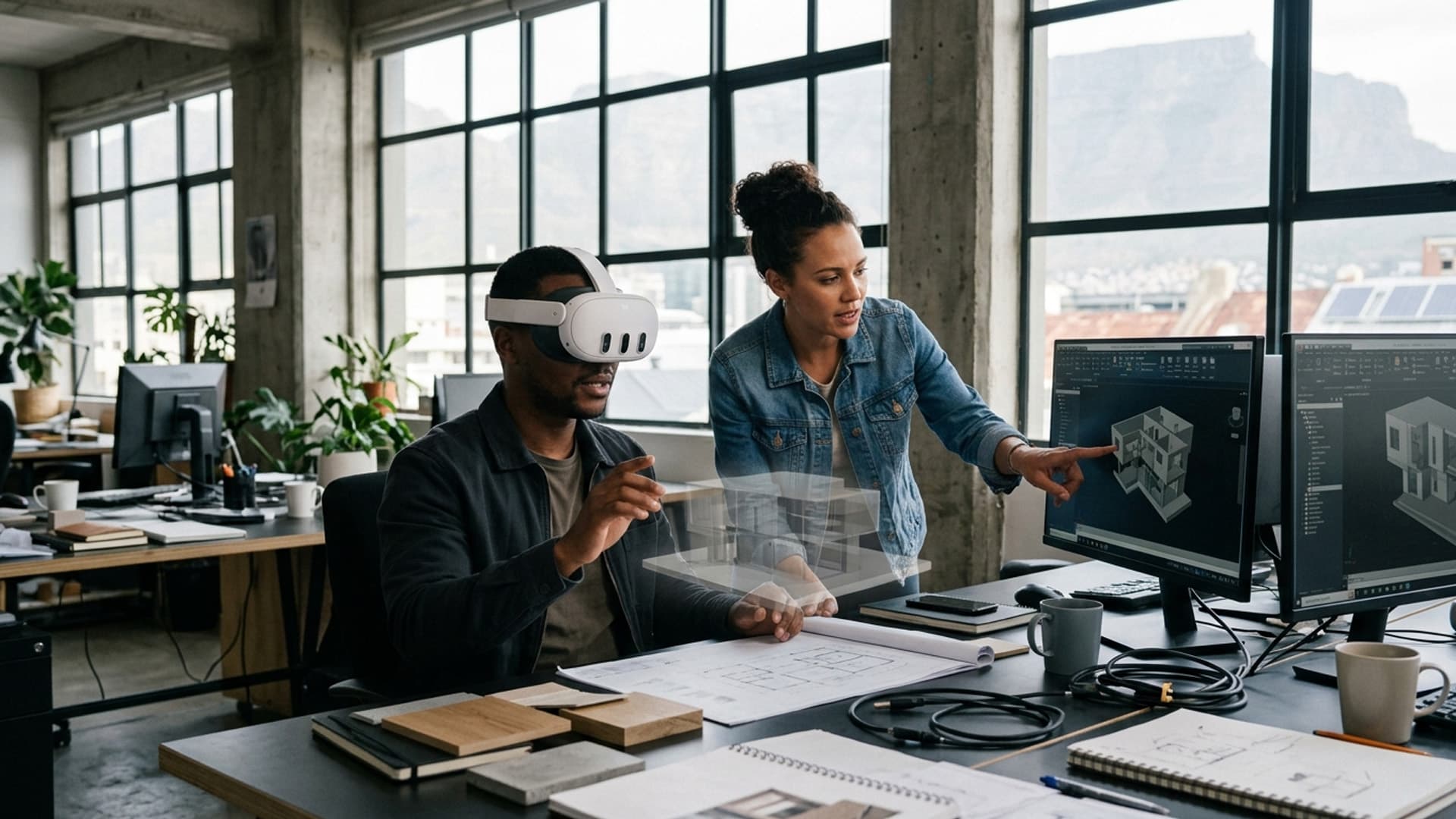
A Well-Made 3D Model Helps a VR Audience Understand the Subject
In VR, a 3D model is not just something to look at; scale, detail and interaction shape what the audience can understand.
A 3D asset in a headset is experienced at human scale. Viewers can move around it, inspect details and sometimes interact with it, so a model prepared for a flat image may need different decisions before it works well in VR. The question is not simply how many polygons it contains, but whether its form and detail support the task.
A review process should make the intended viewpoint and interaction clear. Is the audience examining an object from all sides, understanding how parts fit together, or seeing a concept in context? Each use changes which details matter and how the asset should be prepared. A designer and developer can then agree on what must remain accurate and where simplification is acceptable for performance.
Virtual Reality Cape Town lists 3D modelling among its services, alongside VR software development and 3D rendering. Connecting those capabilities early can reduce the risk of creating an asset that looks good in a still render but is difficult to use in an interactive scene.
The finished model should be tested in the actual experience and on target hardware. This helps the team assess scale, legibility and performance together, and gives stakeholders a more realistic basis for feedback than a desktop preview alone.
Keep the scene organised for discussion
Place the model in a simple environment that gives viewers scale and orientation without competing with the subject. Use a neutral floor, a clear starting point and a small number of purposeful annotations. If alternatives are being compared, make it obvious which version is active and how to switch between them.
During the review, designate a facilitator who can help participants return to the shared view and capture comments. Let stakeholders explore but keep the session tied to the decision. A short summary after the meeting should record approvals, open questions and responsible owners.
Keep a decision log tied to the model version
Record the model revision, date, participants and decisions from each review. If the design changes later, the team can tell which comments still apply and which refer to an older version. Store screenshots or annotated views only where permitted, and connect them to the source model rather than leaving them in an unlabelled chat thread.
At the next session, begin with a short recap of what changed and what remains open. This helps clients focus on new questions instead of repeating the previous discussion. Clear versioning makes VR a useful review method across a project, not just an impressive one-time meeting.
A model communicates through scale and context
In VR, a 3D model is experienced at a perceived scale and from a chosen viewpoint. That changes how people understand size, proportion and relationships. A model that looks convincing on a monitor may feel too small, too large or difficult to inspect in a headset. Preparation should begin with the review purpose and the device where the model will appear.
Clarify whether the model is conceptual, illustrative or based on approved dimensions. A client reviewing a design direction may need to understand form and material; a technical review may require more precise references and a clear statement of limitations. Do not let a visually polished model imply a level of measurement accuracy that it does not have.
Establish scale, origin and orientation
Confirm units and real-world dimensions before import. Set a predictable origin and orientation so the model appears in a sensible location and can be reset. Include a reference object or comparison when scale is important. Test the model at human eye level and from the likely interaction distance, not only in an isolated viewport.
People should have a clear way to return to the starting position. If a model can be rotated or moved, provide controls that are easy to understand and do not create disorientation. Review how users can approach, step back and inspect details safely. The navigation system should make the model easier to understand, not turn the review into a game of finding the object again.
Optimise without losing important detail
High polygon counts, large textures and complex materials can reduce frame rate, particularly on standalone headsets. Identify which features matter to the review and preserve detail there. Simplify hidden surfaces, distant elements and components that do not affect the decision. Use efficient materials and texture sizes suited to the target device.
Optimisation should be evaluated visually and technically. A model can run smoothly but lose an important edge, label or silhouette. Test on representative hardware and compare against the approved source. If the model is split into parts, make sure those parts load and align consistently.
Prepare materials for immersive viewing
Materials can look different in a headset renderer than in a desktop render. Check colour, roughness, transparency and reflection under the actual lighting. Avoid relying on subtle colour differences to communicate critical information. If finishes are approximate, label them and keep a reference to the approved product data.
Lighting should help users see the form without adding unnecessary visual complexity. Strong reflections, very dark areas or bright highlights can obscure detail. Review the model from several angles and with different user positions. If a feature needs closer inspection, provide an intentional close-up or annotation rather than making every participant guess where to look.
Make annotations purposeful
Annotations can direct attention to a decision, dimension or design question. Keep them short and place them so they do not cover the object. Use labels that describe the issue rather than generic markers. If a note requires a long explanation, link to a separate document or display it in a readable panel.
The review should distinguish feedback from approval. A pointer or comment in the VR scene may help discussion, but it is not automatically a formal record. Decide how annotations, decisions and follow-up actions will be captured and stored. Identify the model version so comments remain connected to the correct revision.
Test the review with actual stakeholders
Invite a client or representative user to inspect a prototype. Observe whether they can identify the relevant feature, understand the scale and communicate feedback. Ask what they believe is final and what remains conceptual. These questions reveal whether the presentation could create a false expectation.
Give participants a brief orientation before the headset. Explain controls, comfort and how to ask for help. Offer a desktop or screen-based alternative for anyone who cannot use the device. Keep the session focused on the review question and allow time for discussion after the headset is removed.
Preserve provenance and prepare future revisions
Record the source file, export settings, units, date and intended use. Keep the approved original separate from the optimised VR version. When a client requests a change, update the source and regenerate the export through a repeatable process. This avoids a polished review file becoming an untracked derivative.
A prepared 3D model helps a VR audience understand the subject when scale, performance, materials and interaction are all intentional. Clear provenance and an agreed review process make the experience useful beyond a single demonstration and reduce confusion as the design evolves.
Make review decisions explicit
Before the session, identify what feedback is being requested: overall form, scale, material, usability or a specific design choice. Participants can then focus on the question rather than commenting on every visible detail. At the end, summarise what was approved, what remains open and who owns each follow-up. This turns the immersive review into a useful project step.
If several stakeholders are involved, collect comments in a shared record and resolve conflicting requests through the agreed decision-maker. The VR session should provide a common view, but it should not create ambiguity about who can approve the design.
Intelligence Author
Elisha Roodt
Pioneering South Africa's XR landscape for over 25 years, we transform global immersive trends into actionable innovation for the Mother City and beyond.
READY TO TRANSCEND?
Contact Virtual Reality Cape Town today and discover how we can transform your digital strategy through immersion.