
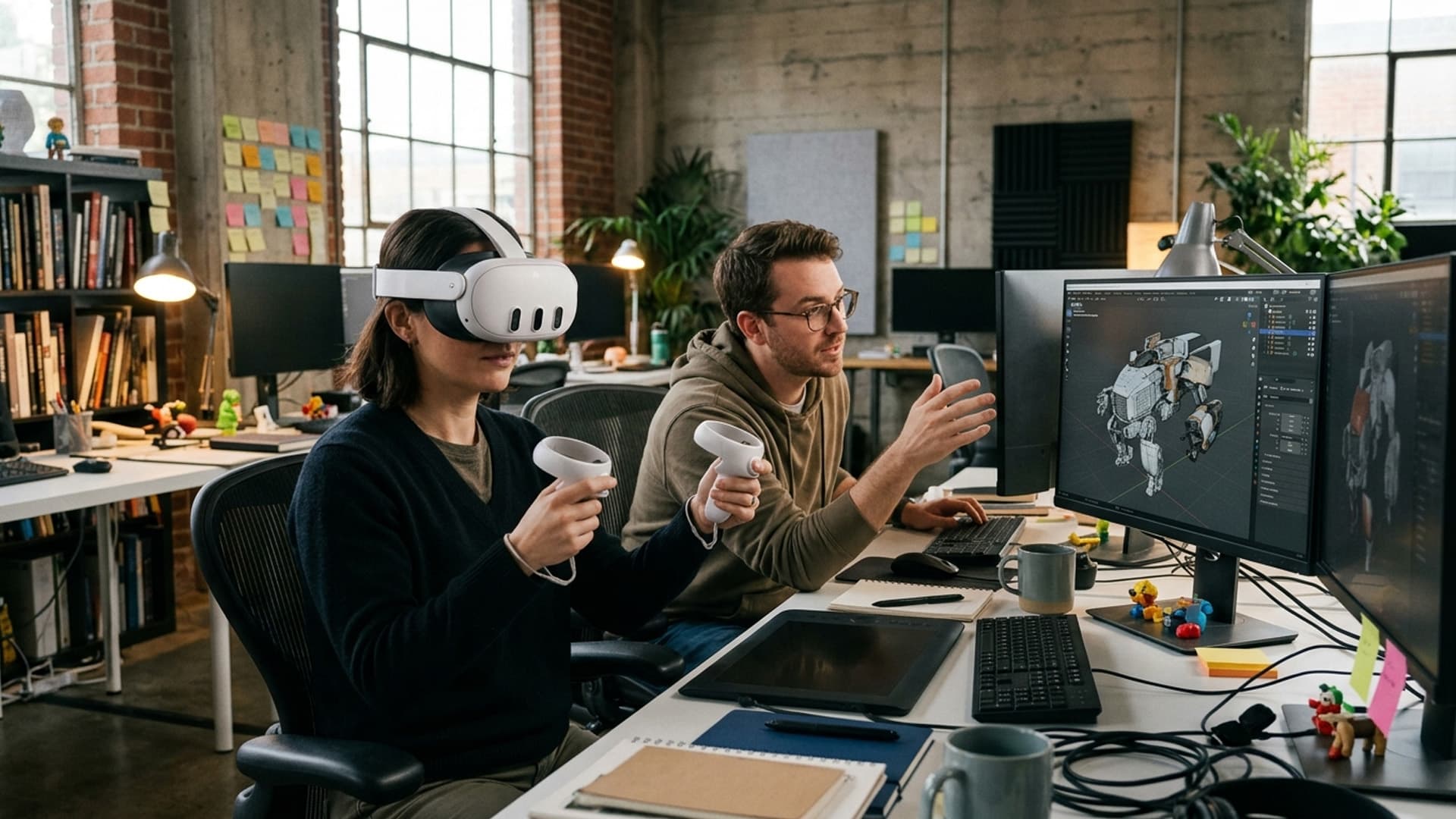
AI-Assisted 3D Assets Still Need Human Review
AI tools can speed up parts of 3D production, but immersive assets still need artists and developers to check accuracy, consistency and performance.
AI-assisted tools can help teams explore visual directions or accelerate parts of asset creation, but a generated model is not automatically ready for an immersive project. It may contain inconsistent geometry, unclear provenance or details that do not match the intended brief. In VR, those issues can become more obvious when a person sees an object at scale or moves around it.
Human review remains essential. Artists can assess whether an asset fits the visual language and represents the subject appropriately; developers can check topology, textures, file size and runtime performance. Teams should also document where assets came from and confirm that their use is permitted. These checks protect both production quality and project accountability.
Virtual Reality Cape Town provides 3D modelling and VR development services, where assets must work as part of an interactive scene rather than only as a still image. Testing generated or assisted content in the actual headset experience is a practical way to identify problems early.
AI is most useful when it supports skilled creative decisions. It can help a team iterate, but it does not replace the judgement needed to make an asset accurate, coherent and comfortable to experience.
Keep a review checklist
For each AI-assisted asset, record the source, intended role, rights review, technical checks and approver. A consistent checklist helps teams distinguish a concept from a production-ready asset and makes later audits easier. If a model fails one check, document whether it will be corrected, replaced or restricted to a prototype.
Repeat the review after substantial edits or when the asset moves to a new platform. Changes in scale, materials or interaction can introduce new errors. Human approval should be connected to the actual version used in the build, not only to an earlier preview.
Keep project owners informed
Tell stakeholders when AI-assisted material is part of a prototype or final asset, and explain what human review has taken place. This transparency helps them interpret limitations and make informed approval decisions. Do not present generated detail as verified product information or imply that a tool has validated the asset.
If the asset is rejected, record why and what replacement is needed. That information prevents the same unsuitable output from returning later under a different filename. A clear review trail protects quality and helps teams use AI tools responsibly.
Match review depth to the asset's risk
Not every generated element needs the same level of scrutiny. A background prop in a disposable concept may be low risk, while a branded object, training aid or item used to explain a real process needs careful checking. Establish review criteria before production: visual consistency, scale, material, geometry, rights and any factual claims. Assign a person who understands the subject matter to approve important details, and do not treat a plausible appearance as proof of accuracy.
Test the asset in the headset and in the context where it will appear. Inspect it at normal viewing distance, under the experience's actual lighting, and while users move around it. Look for distracting seams, unstable details, unclear silhouettes and performance costs. Record the accepted version and its source in the project notes. If the source or tool changes later, repeat the relevant checks instead of assuming the replacement is equivalent. A lightweight but documented review keeps iteration quick while making responsibility clear.
AI output is a starting point, not an approved asset
AI tools can help generate concepts, textures, reference imagery or draft 3D content. They may speed up exploration, but immersive assets still need human review. A plausible-looking result can contain inconsistent geometry, incorrect details, unsuitable materials or rights uncertainty. Before the asset enters production, establish who created it, what tools were used and what uses are permitted.
Clarify whether the output is a mood reference, prototype, background element or final model. A generated concept should not be represented as an accurate product or historical object without verification. The more consequential the visual claim, the more rigorous the review should be.
Check geometry and scale
Inspect topology, surface continuity, proportions, hidden faces and intersections. Generated geometry may contain holes, duplicated surfaces or details that do not correspond to a real object. Confirm units and scale against an authoritative reference. In VR, users can inspect assets closely, so small defects may be more visible than in a thumbnail.
Test whether the model can be edited and optimised. A mesh that looks acceptable but cannot be efficiently modified may create downstream cost. Use appropriate retopology or rebuild important components when necessary. Keep the source version and note the changes made during cleanup.
Verify materials and textures
Review colour, reflections, repeated patterns and texture seams under the target renderer. AI-generated textures may include inconsistent lighting or artifacts that look like real surface features. Check that material properties behave correctly in a headset and do not obscure important details. If the asset represents a real product, compare it to approved reference images and specifications.
Avoid using generated content to invent a brand mark, label or technical specification. Replace uncertain details with approved material or omit them. A rendered asset can appear authoritative, so reviewers should know what was generated and what has been validated.
Review copyright, privacy and provenance
Check the terms of the tool and source material. Confirm commercial-use permissions, attribution requirements and restrictions before publishing or delivering an asset. Avoid uploading confidential client files or personal data to a service without approval. Keep a record of prompts, source inputs, tool versions and human edits when provenance may matter.
For identifiable people or locations, verify consent and usage rights. A generated face can resemble a real person, and an image may include unexpected marks or text. Review outputs carefully and do not assume that automated generation removes rights or privacy concerns.
Test in the actual VR scene
An asset that looks fine in a modelling tool may perform poorly in a headset. Check polygon count, texture memory, draw calls, lighting and frame rate on target devices. Review it at the intended distance and scale. Users may approach or walk around a model, exposing defects that were hidden in a fixed preview.
Test interaction and collision if the object can be touched or moved. Confirm that materials do not flicker and that the asset remains legible from different viewpoints. If a background element is not meant to be interacted with, avoid styling it like a control.
Keep human review accountable
Assign a person with relevant expertise to approve the asset. The reviewer should check factual accuracy, quality, performance, rights and alignment with the brief. For a specialist subject, involve a subject-matter expert; for a product, use the approved product owner. A general visual review cannot validate every claim.
Record acceptance criteria and document known limitations. If the asset is only suitable for a prototype, label it and prevent accidental reuse in a final build. Keep the approved version separate from drafts. This makes it easier for teams to know what has actually been checked.
Use AI where it helps the pipeline
AI assistance can be valuable for brainstorming, rapid variants or repetitive production tasks, provided the team retains control over quality and rights. Compare the time saved with cleanup and review effort. Sometimes a conventional model or licensed asset is more efficient and reliable.
Human oversight does not negate the value of AI; it makes the output usable. Careful provenance, technical validation and subject review help teams benefit from faster exploration while protecting accuracy, performance and trust in the final VR experience.
Intelligence Author
Elisha Roodt
Pioneering South Africa's XR landscape for over 25 years, we transform global immersive trends into actionable innovation for the Mother City and beyond.

READY TO TRANSCEND?
Contact Virtual Reality Cape Town today and discover how we can transform your digital strategy through immersion.